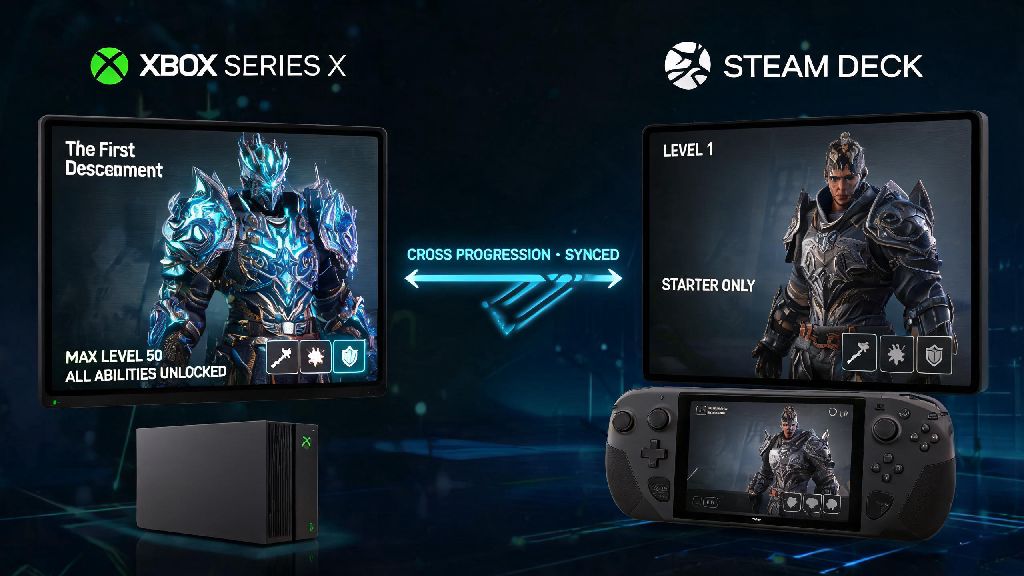
If you’ve ever switched between gaming platforms mid-grind and lost all your hard-earned character unlocks, weapon skins, and mission progress, you know how frustrating that can be. This guide breaks down exactly how to set up cross progression the first descendant, so you can keep all your progress synced across every device you use without starting over from scratch. I learned this the hard way when I switched from my Xbox Series X to a Steam Deck for a work trip, and lost 12 hours of progress grinding for the character Viessa because I didn’t have cross progression set up first. This walkthrough will help you avoid that same mistake, with clear steps, common pitfalls to skip, and tips to get the most out of synced progression.
What You Need Before You Set Up Cross Progression for The First Descendant
Before you start linking accounts, there are a few key things to get sorted first to avoid mistakes that can take days to fix. First, you’ll need a valid Nexon account, since this is the central hub that stores all your cross progression data for the game. You can make one for free on the official Nexon website if you don’t already have one, and it only takes a minute to complete the sign-up process.
Second, pick which platform you want to be your primary progress source first. If you already have progress on two separate platforms before linking, you will only be able to keep one set of progress, so choose the account with more playtime, higher level characters, or rare unlocks you don’t want to lose. You can’t merge progress from two separate accounts, so this step is non-negotiable.
Finally, make sure you have access to all platform accounts you want to link, whether that’s your PSN ID, Xbox account, Steam profile, or Nintendo Switch account. You’ll need to log into each one individually during the linking process, so if you forgot your password for any of them, reset that first before you get started. It’s also a good idea to use up any platform-exclusive premium currency before linking, since those funds won’t transfer to other platforms even after your accounts are synced.
How to Set Up Cross Progression in The First Descendant: Step-by-Step Walkthrough
The actual linking process only takes 3 to 5 minutes if you have all your accounts ready to go. Follow these steps exactly to avoid errors or lost progress:
If you get an invalid code error when entering your code, don’t panic. These codes only last 15 minutes for security reasons, so just hit the refresh code button in your game settings and try again with the new code. I ran into this issue when I got distracted by a text mid-setup, and refreshing the code fixed it immediately.
One important rule to remember: you can only link one account per platform to a single Nexon ID. That means if you link your main PSN account to your Nexon ID, you can’t link a second PSN account to the same ID later, even if you unlink the first one. I made this mistake when I tried to link my little brother’s PSN account to my ID so he could use my skins, and I had to wait 90 days to unlink it, so avoid that hassle entirely.
Common Cross Progression Issues and Quick Fixes
Most people won’t run into any issues when setting up cross progression, but there are a few common glitches that pop up for a small percentage of players. The most frequent complaint is progress not syncing between platforms. If this happens to you, first double check that you’re logged into the same Nexon account on both platforms. A lot of people accidentally make a second Nexon account with a different email address, which is why their progress isn’t showing up.
Another common issue is premium purchases not showing up across platforms. This is normal for platform-exclusive content, like the PS5-exclusive Void Hunter skin or Xbox exclusive weapon charm. Only universal purchases and unlocks sync across platforms, so any content that’s marked as platform exclusive will only be available on the platform you bought it on. If a universal purchase isn’t showing up, restart your game and wait 10 minutes, since purchase data can sometimes take a few minutes to sync to Nexon’s servers.
If you need to unlink a platform account for any reason, you can do that through your Nexon account settings, but you will have to wait 90 days before you can link another account from that same platform to your Nexon ID. This is a security measure to prevent account theft, so only unlink an account if you’re sure you don’t want to use that platform for your game progress anymore.
Ways to Get the Most Out of Your Cross Progression Setup
Once you have cross progression set up correctly, you can adjust your play routine to make grinding way more efficient. For example, if you play on a high-powered console at home for big raid missions with friends, you can grind shorter, easier daily missions on a handheld device like a Steam Deck when you’re commuting or waiting for an appointment. All that progress will sync back to your main account, so you don’t have to waste time doing daily missions when you’re at home with your friends.
Make sure you close the game on one platform before opening it on another to avoid save conflicts. I once had a 2 hour mission progress roll back because I left the game running in the background on my Xbox while I opened it on my laptop to play during my lunch break. Save conflicts can also corrupt your save file in rare cases, so it’s worth taking 10 seconds to close the game on your other device before you start playing somewhere new.
Cross progression also makes it way easier to play with friends on different platforms, since your friends list is synced across all your devices. You don’t have to add the same friend three times on three different platforms, you can just add them once through your Nexon account and they’ll show up on all your linked devices. You can also switch platforms mid-session if one of your friends wants to play on a different device, and you won’t lose any progress you’ve made so far that day.
No matter if you play at home on a console, on a PC for higher frame rates, or on a handheld for on-the-go grinds, knowing how to set up cross progression the first descendant completely changes how you experience the game. You won’t have to waste time redoing missions you already beat, or re-unlocking characters you already earned, just because you’re switching devices. Take a minute to double check your primary account before linking, follow the steps above, and you’ll have seamless synced progress across all your platforms in less than five minutes. If you run into any snags that aren’t covered here, the official support page has updated troubleshooting tips for the latest game version.