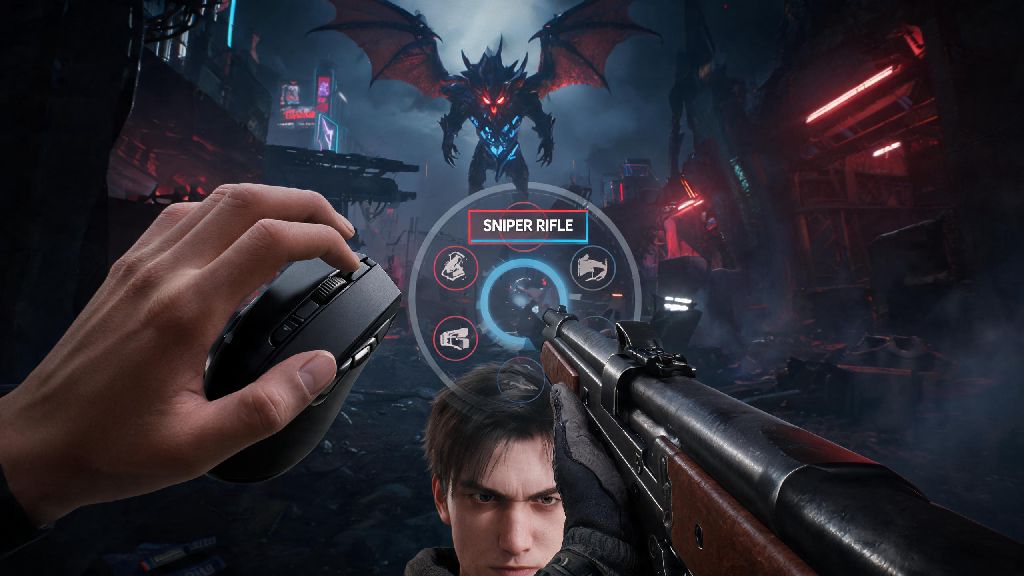
I still remember my first Void Intercept run: I was stuck with a shotgun facing a flying boss 50 meters away, fumbled with my mouse wheel for three whole seconds, and got one-shot before I could pull out my sniper. That frustrating loss made me sit down and test every possible weapon swap method, setting, and trick in the game. If you’ve ever had a similar experience where slow weapon swaps cost you a win, you’re not alone. Learning how to switch weapons in the first descendant properly will change how you play every match, whether you’re running solo story missions or high-stakes co-op raids.
How to Switch Weapons in The First Descendant: Default Controls for All Platforms
The game comes with pre-set swap controls that work fine for casual play, but knowing all your options lets you pick the right method for every scenario. For PC players, you have three default options to start with. You can scroll the mouse wheel up or down to cycle through your three equipped weapons, tap the 1, 2, or 3 keys to pull out a specific weapon instantly, or hit Q to swap back to the last weapon you used. I recommend using the number keys for high-stakes fights, because scrolling can easily lead to overshooting the weapon you need.
For console players, the default controls are equally straightforward. On PlayStation, you can tap the directional pad left or right to cycle through weapons, or hold the Triangle button to open a weapon selection wheel if you want to pick a specific gun without cycling. On Xbox, the same logic applies: tap the d-pad left or right to cycle, or hold the Y button to open the selection wheel. Console players usually prefer the d-pad cycle for fast fights, but the wheel is great if you have multiple utility weapons equipped and don’t want to cycle through all of them.
You don’t have to stick to one swap method, by the way. I use number keys for my main two damage weapons, the Q swap for when I’m bouncing between my sniper and shotgun during boss fights, and the mouse wheel only when I’m looting and testing new guns. Mixing methods lets you adapt to whatever’s happening on screen without slowing down.
Customize Your Weapon Swap Settings for Faster Response
The default controls work, but tweaking a few settings will cut your swap speed by almost half, no upgrades required. The first setting you should change is binding weapon swap to mouse side buttons if you play on PC. Most gaming mice have two side buttons within easy reach of your thumb, so you don’t have to move your fingers away from the WASD movement keys to hit number keys. I bound my primary weapon swap to the front side button and secondary to the back, and it cut my average swap time by 0.2 seconds. That might not sound like much, but it’s enough to get a shot off before an enemy can hit you.
The most impactful setting you can turn on is the Quick Weapon Swap toggle, found in the Gameplay tab of the settings menu. By default, the game plays a short holster animation before pulling out your new weapon, which adds almost half a second of delay between hitting the swap button and being able to fire. Turning on Quick Swap skips that animation entirely, so you can fire your new weapon the second it appears on screen. But there is a small catch: with the animation gone, you won’t have the small visual buffer to confirm you selected the right weapon, so you might want to practice with it in casual matches first before bringing it to raids.
You can also adjust the weapon swap sensitivity slider if you use the mouse wheel to cycle. The default setting is 100%, which means even a small scroll will jump two weapons at once for many players. I recommend setting it between 70% and 80% for most people, so you can scroll once to move one weapon at a time without skipping. If you play on console, you can adjust the d-pad input delay as well, turning it down to the lowest setting that doesn’t lead to accidental inputs.
Common Weapon Swap Mistakes to Avoid During High-Stakes Fights
Even with perfect settings, small mistakes can slow down your swaps and cost you fights. After running more than 50 Void Intercept runs and testing every weapon type in the game, these are the most common mistakes I see players make all the time:
The weight modifier mistake is the one I see most often, even from experienced players. If you run a heavy sniper as your secondary weapon, you’ll notice it takes longer to pull out than a secondary SMG would. You can fix this easily by adding a Swap Speed mod to your heavy weapons, which offsets the weight penalty completely without taking up a valuable damage mod slot. I always keep a rare Swap Speed mod on all my snipers and rocket launchers, and it makes a huge difference in how responsive they feel.
Another easy fix for these mistakes is to pre-swap weapons before you enter a new combat area. If you just finished clearing a room of close-quarters grunts and you know the next room has long-range snipers, switch to your own sniper before you open the door. That way you don’t have to fumble with controls while you’re getting shot at. I started doing this after one too many deaths at the entrance of boss rooms, and my clear rate jumped almost immediately.
Advanced Weapon Swap Tech to Gain a Combat Edge
Once you have the basics down, there are a few advanced tricks that top players use to get even more value out of fast weapon swaps. The most useful one is swap canceling, which lets you skip the recoil animation of heavy weapons to fire faster. For example, if you fire a shotgun that has a long pump animation, you can swap to your pistol and back to the shotgun immediately to skip the pump entirely. This works for almost every heavy weapon in the game, and it can double your damage output with shotguns and sniper rifles if you get the timing right.
You can also combine weapon swaps with character abilities to cancel ability animations. Most descendants have a short cast animation when you use their active skill, but if you swap weapons right as the skill activates, you’ll skip the rest of the animation and be able to fire immediately. For example, if you play as Freyna and use her Rage ability, swapping weapons right after you activate it lets you start firing 0.3 seconds faster than if you wait for the animation to finish. It takes a little practice to get the timing right, but it works for every character in the game.
For co-op players, there’s an extra trick you can use to support your team better. If you’re running a support build with a healing weapon, bind that healing weapon to a separate easy-to-reach key, and swap to it the second you see a teammate’s health bar drop below 50%. Don’t wait for them to ask for heals, because by then they might already be dead. I run support in most of my raid groups, and I have my healing pistol bound to my fourth mouse side button so I can pull it out in less than a tenth of a second when someone needs healing.
Small quality of life changes like better swap settings and avoiding common mistakes make a far bigger difference than most players realize. I spent less than 10 minutes adjusting my controls and practicing the swap cancel trick, and I went from failing half my Void Intercept runs to clearing almost every one on the first try. Once you get comfortable with how to switch weapons in the first descendant, you’ll be able to focus more on positioning and team play instead of fumbling with controls when it matters most. Try out the settings and tricks we covered in a few casual matches first, and adjust them to fit your playstyle – you’ll be surprised how much of a difference it makes.