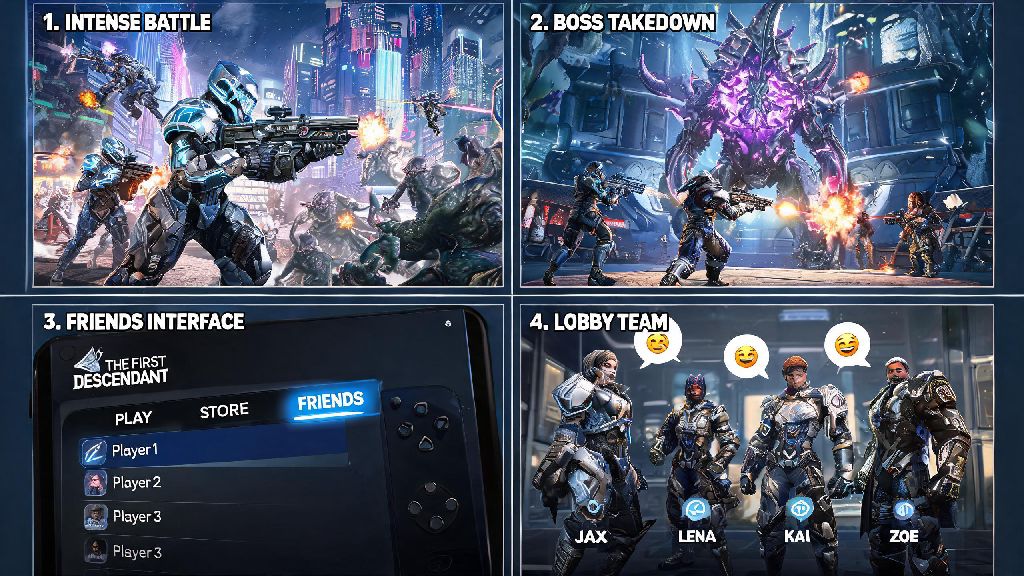
Few looter shooters feel as rewarding as The First Descendant when you’re tearing through hordes of invading aliens or taking down massive Intercept bosses with a crew of people you know. If you’ve been grinding solo and wondering how to play with friends the first descendant, you’re not alone. The game’s menu layout can be a little confusing at first, especially if you’re still learning all the different tabs and systems packed into the hub world of Albion. I spent nearly 20 minutes clicking through every menu tab my first time booting up the game, because I had no clue the friend system was tied to Nexon accounts instead of my Steam friends list. This guide skips all the frustration to get you and your crew into matches fast.
Step-by-Step Guide to Adding and Inviting Friends
The first thing you need to know is that The First Descendant uses a Nexon account friend system, not platform-specific friend lists, for all crossplay functionality. That means even if you and your friend are both on Steam, you’ll still need to add each other via your Nexon display names to send squad invites. It’s a small extra step, but it lets you play with people on every supported platform, from PC to PlayStation to Xbox.
To add and invite friends, follow these simple steps:
Link your Nexon account before you launch the game if you want to skip extra steps in the menu. You can link your platform account to Nexon via the official Nexon website in two minutes, and it will sync all your progress across devices if you ever switch platforms. Double-check your Nexon account privacy settings too: if your profile is set to private, other players won’t be able to find you when they search for your display name.
You can have up to 4 players in a single squad for most co-op activities, and the host gets to choose which mission the group plays. If you’re joining a friend’s squad, you’ll automatically load into their instance of Albion as soon as you accept the invite. You don’t have to be at the same point in the main story to join a squad, but you won’t be able to progress your own story if you join a mission you haven’t unlocked yet.
How to Play With Friends in The First Descendant: Squad Optimization Tips
Once you have your squad set up, a few small adjustments will make your runs way more efficient and way less chaotic. I’ve run over 50 co-op missions with my own friend group, and these tips cut our clear time for most Intercept bosses in half.
Sync your mission progress first before queuing for story content. If only the host has unlocked a specific story mission, the rest of the squad won’t get story completion rewards for playing it. So if you all want to progress the main story together, make sure everyone has completed the required pre-requisite missions first. For free play or farming runs, this doesn’t matter at all, and everyone will still get loot and experience no matter their progress level.
Assign roles based on your descendant’s strengths instead of everyone picking DPS characters. The game is balanced to reward mixed squads, and you’ll have a way easier time with tough boss fights if you have one tank, one support, and two DPS players. For example, Ajax is a great tank that can draw aggro away from squishier team members, while Valby can drop healing zones to keep the whole group alive through big boss attacks. You don’t have to stick to rigid roles if you’re just messing around, but it makes high-difficulty content way more manageable.
It’s also a good idea to communicate what loot you’re looking for before you start a run. Rare crafting materials drop for the whole squad, but exclusive descendant unlock items only drop for one player at a time. If everyone knows what each person is farming for, you won’t waste time arguing over who gets a rare drop. You can also trade most crafting materials with squad members after a mission, so you can swap extra parts for the ones you need.
Fixes for Common Co-Op Connection Issues
Even if you follow all the setup steps correctly, you might run into connection issues every now and then. Most of these problems have super simple fixes, and you don’t need to be tech-savvy to solve them.
Restart your game and platform if invites don’t show up. The Nexon server occasionally has small delays with sending friend and squad invites, and a quick restart will usually pull any pending invites through immediately. If you’re on PC, closing the game completely from the task manager works better than just closing the window, as it stops any background Nexon processes that might be glitching.
Make sure all players have the latest game patch installed. The game gets small patches every two weeks, and if one person in your squad is running an older version of the game, you won’t be able to join the same lobby. Most platforms update games automatically, but if you have auto-updates turned off, you’ll need to manually check for updates before you try to join a squad.
If you keep getting “connection failed” errors when trying to join a friend’s lobby, check your NAT type. A strict NAT type will prevent you from connecting to other players in most online games, including The First Descendant. You can fix this by enabling UPnP in your router settings, or switching to a wired ethernet connection instead of Wi-Fi. Wired connections also reduce lag during busy boss fights with lots of particle effects, which is a nice bonus.
Some console players also run into issues with crossplay being blocked by their platform’s privacy settings. If you can’t find crossplay friends, go to your PlayStation or Xbox privacy settings and make sure crossplay is enabled, and that you allow invites from players outside your platform friend list.
Top Co-Op Activities to Try With Your Friend Group
Once you have your squad working well together, there are tons of fun co-op activities to try beyond the main story. These activities have exclusive rewards you can’t get playing solo, so they’re well worth checking out.
Intercept boss fights are the most popular co-op activity in the game, and for good reason. These 20-minute boss battles pit your squad against a massive, high-health boss with unique attack patterns, and they drop the best weapons and descendant crafting materials in the game. Higher difficulty Intercept fights require tight squad coordination, so they’re a great way to test how well your group works together.
Void Chasm runs are another great co-op option for players who like roguelike gameplay. Each Void Chasm run has randomly generated levels and buffs, and the difficulty increases the deeper you go. You get special Void tokens for every level you clear, which you can exchange for exclusive skins and powerful mods. You can’t pause Void Chasm runs, so make sure everyone in your squad has 30 to 45 minutes free before you start one.
If you’re looking for a more relaxed activity, you can do free play resource runs together. Squad members get a 30% bonus to all resource drops when you’re playing in a group, so you can farm crafting materials way faster than you would solo. You can also try out the custom PvP arena modes if you want to mess around and fight each other instead of aliens. The PvP mode is completely optional, but it’s a fun way to take a break from grinding for loot.
Once you get the hang of how to play with friends the first descendant feels like a completely new experience, with way more laughs and way less frustrating grind than playing alone. You don’t have to follow every tip in this guide to have a good time, but the setup steps and troubleshooting fixes will help you skip the annoying menu navigation and connection issues that turn a lot of new players off co-op. Grab your friends, pick your favorite descendants, and start clearing those boss fights for rare loot you can’t get solo.