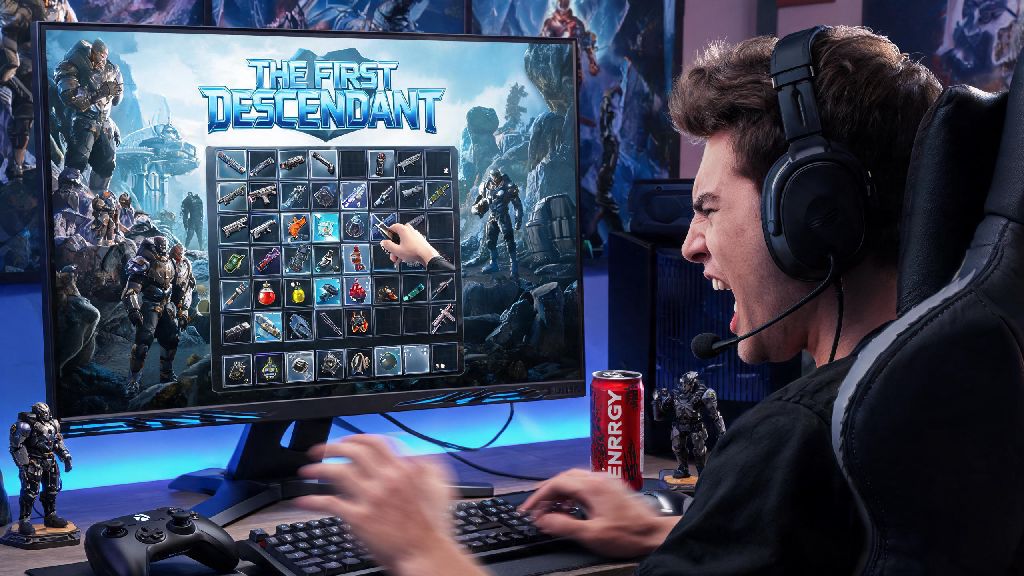
If you’ve spent hours grinding Void Intercept Battles or farming rare mod drops in 2026’s latest The First Descendant Season 4 update, you’ve definitely hit that frustrating moment where your inventory is full mid-mission, and you can’t pick up that legendary reactor you just earned. I’ve been there too, fumbling with controls for 10 seconds while my squad yells at me to hurry before the boss enrages, so I put together this full breakdown of how to drop items in The First Descendant for every platform and scenario. I’ve tested every method across PC, PlayStation 5, and Xbox Series X over the past three months of the new season, so all the tips below are verified to work as of 2026.
How to Drop Items in The First Descendant: Basic Controls for Every Platform
The core process for dropping items is consistent across all platforms, but the exact button inputs vary depending on what you’re playing on. You don’t need any special unlocks or upgrades to access this feature, it’s available from the second you start the game for the first time.
Keyboard & Mouse (PC): Open your inventory with the default “I” key, hover over the item you want to drop, then hold the “G” key for two seconds to confirm the drop. If you’re dropping a rare or higher tier item, you’ll get a pop-up confirmation prompt to make sure you don’t get rid of something valuable by mistake. You can adjust the hold time in the control settings menu if you want to make drops faster or slower to avoid accidental deletions.
Xbox Series X/S / Xbox One: Open your inventory with the Menu button, navigate to the item you want to drop using the D-pad or left thumbstick, then hold the X button for two seconds. The same confirmation prompt pops up for high-tier items, and you can remap the drop button to a different input if you prefer a more accessible layout.
PlayStation 5 / PlayStation 4: Open your inventory with the Options button, navigate to the target item, then hold the Square button to drop. DualSense controllers will give a small vibration when the drop is confirmed, so you don’t have to stare at the screen to know the action went through. Critical note: you can't drop story quest items or permanent unlocks like descendant character shards, no matter what platform you’re on. If you see a grayed-out drop option, that’s almost always why.
Best Practices for Dropping Items Mid-Mission to Avoid Wasting Time
Dropping items sounds simple, but doing it at the wrong time can cost you a mission win or a rare drop you’ve been farming for hours. I’ve made enough mistakes to know what works and what doesn’t, so follow these rules to keep your runs smooth:
Dropping items for squadmates is one of the most underrated teamwork features in the game, especially if you’re running high-difficulty missions where specific mod rolls are hard to find. If you already have a maxed version of a legendary mod that drops, dropping it for a teammate who needs it cuts down their grind time by hours, and they’ll probably return the favor later when you’re farming for a specific piece of gear.
How to Fix Stuck Items You Can’t Drop in 2026’s Latest Update
Nexon released a major inventory bug fix in the January 2026 Season 4 patch that resolved 90% of the stuck item issues players reported in late 2025, but rare cases still pop up occasionally. If you have an item in your inventory that won’t drop, sell, or dismantle, don’t panic, there are easy fixes to get rid of it without losing progress.
First, check if the item is tied to an uncompleted side quest. Stuck inventory items are almost always tied to uncompleted side quests you picked up in open world zones. Pull up your quest log and look for any quests that require you to collect a specific item, deliver a package, or bring a material to an NPC. Complete that quest, and the item will usually become droppable or disappear automatically once you turn it in.
If the item isn’t tied to a quest, try fast traveling back to the Albion hub and opening your inventory there. Many temporary glitches that stop items from dropping mid-mission resolve themselves once you leave the instance. If that still doesn’t work, restart your game completely, then log back in and try dropping the item again. 99% of the time, that’s all you need to do to fix the issue.
Never delete your save file to fix stuck items, as that will erase all your progress, including descendant unlocks, mod upgrades, and premium currency purchases. If none of the above fixes work, submit a support ticket to Nexon through the official website, and they’ll usually remove the stuck item from your inventory within 24 hours for free.
What Happens to Dropped Items After You Leave a Zone?
A lot of new players ask if they can come back for items they dropped by mistake, so I wanted to break down exactly how the drop despawn system works in the 2026 update. The rules vary a little depending on if you’re in a private squad mission or a public open world zone, but the basics are the same across all game modes.
If you’re in a private squad mission, any items you drop will stay on the ground for two full minutes from the time you drop them. If you pick them back up before the timer runs out, they’ll go straight back to your inventory with no penalties. Rare and legendary dropped items are only visible to your squad for the first 30 seconds before becoming public loot if you’re in an open world public zone, so make sure you grab any accidentally dropped high-tier items fast if you’re playing with randoms nearby.
If you leave the mission or fast travel to a different zone, all items you dropped will disappear immediately, with no way to get them back. That means if you drop a legendary reactor by mistake right before you extract from a mission, you won’t be able to go back for it, so always double check what you’re dropping before you confirm the action.
You can also drop full stacks of crafting materials to pass to friends, which is way faster than trading through the hub market. If you drop a stack of 50 Void Ore, it will stay as a full stack instead of splitting into individual pieces, so you can pass entire sets of building materials to friends who are crafting a new descendant in one go.
At the end of the day, knowing how to drop items in The First Descendant saves you so much hassle during long grind sessions, especially if you’re running back-to-back missions with friends in 2026’s latest content updates. Don’t stress if you fumble the controls the first few times, it takes a little practice to get the hang of it without pausing for too long. If you have any other tricks for managing your inventory faster, drop them in the comments below!