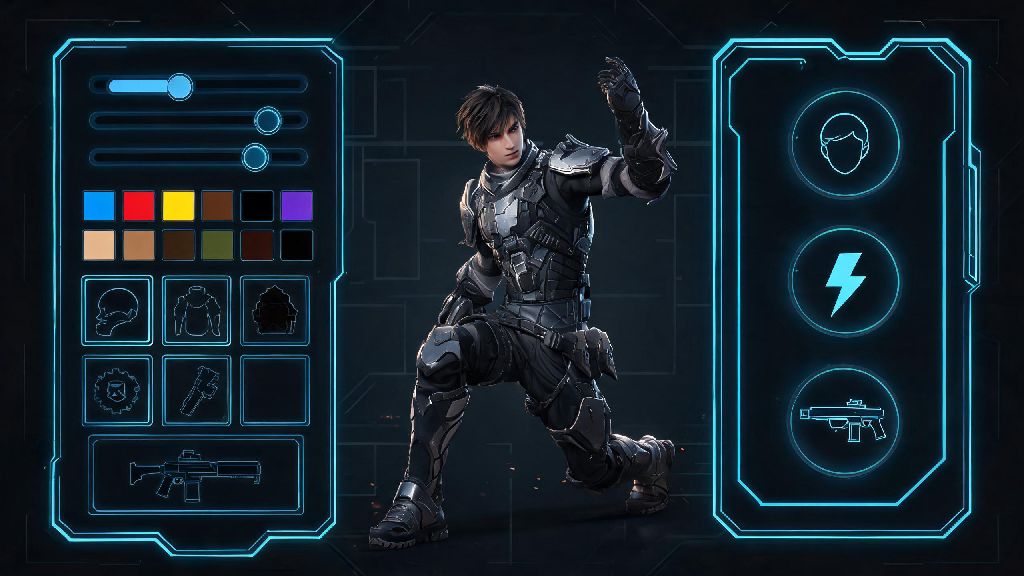
2026 has brought some of the biggest quality of life updates to The First Descendant since its launch, and one of the most improved systems is character customization. No longer are you stuck with pre-made looks or one-size-fits-all stat builds that don't match how you like to play. If you're wondering how to customize character in the first descendant to get both a unique look and optimal performance, this guide covers every step you need to know, from menu navigation to common mistakes you should skip. I've spent over 200 hours in the game this year testing different customization options, so all the tips below are ones I've personally used and vetted for both casual and endgame play.
Core Steps to Customize Character in The First Descendant (2026 Updated Menus)
The first thing you'll notice when you load up the 2026 version of the game is that the customization menu has moved from the old profile tab to a dedicated, easy-to-access spot in the main hub. You don't have to dig through multiple submenus to find what you're looking for anymore, and all customization options are split clearly between cosmetic and stat-focused tabs. The process is straightforward even for brand new players, but there are a few small details you don't want to miss to avoid losing your work.
You might notice that some customization options are greyed out when you first open the menu. That's normal—cosmetic items are unlocked either through seasonal battle passes, weekly challenge rewards, or limited-time event shops, while stat customization unlocks once your descendant hits level 10. If you're playing a new descendant you just unlocked, take a few rounds of casual missions to level them up first before you start tweaking their stats. The save button is tucked in the bottom right corner of the screen, so make sure you click it before exiting, even if you only made a small change to your character's look.
Cosmetic Customization Tips for Unique, Standout Descendants
The 2026 update completely overhauled the cosmetic customization system, adding hundreds of new options and quality of life features that players have been asking for for years. You don't have to use full pre-made skin sets anymore, and the new dye system gives you way more control over your character's final look than the old limited palette system. Most of the best cosmetic items are also available for free through gameplay, so you don't have to spend real money to make your descendant look one-of-a-kind.
You can mix and match skin parts from different skins as of the 2026 spring update, so you don't have to use an entire skin set if you only like the helmet from one and the chest piece from another. I have a build for Bunny that uses the holiday event helmet, the default body skin, and the cyberpunk event leg armor, and it's a look no one else in my friend group has. The new dye system also lets you save custom color palettes, so you can apply the same look to all your descendants if you want a consistent theme for your account.
Custom emotes and victory poses are account-wide, so you can use them on any descendant you unlock, no need to repurchase for each character. Don't sleep on the free seasonal dyes either—they're usually only available for a few weeks, but they're some of the most unique color options in the game, including metallic and gradient shades that you can't get from the base dye set. If you see a color you love in the event shop, grab it before the season ends, because it likely won't come back for at least a year.
Stat Customization for Optimal Playstyle Alignment
Customization isn't just about making your character look good—it's also about making them work for your specific playstyle. The 2026 rework of the stat allocation system lets you tweak base stats of your descendant without changing their core ability kit, so you can build them for solo play, group support, PvP, or endgame PvE depending on what you enjoy most. You don't have to follow meta builds if they don't fit how you like to play, either.
If you're learning how to customize character in The First Descendant for the first time, it's easy to overlook just how much impact stat tweaks have on your overall performance. You get 15 stat points per descendant at max level (40) as of 2026, so you can allocate them to health, shield, ability power, attack speed, or cooldown reduction depending on your main game mode. For example, I run a Viessa build with 8 points in cooldown reduction and 7 points in ability power, and my freeze abilities charge 30% faster than the default build, which makes a huge difference in high-level Void Chasm runs where crowd control is make or break.
Avoid spreading your stat points too thin—focusing on 2-3 core stats will give you far better results than trying to make a jack-of-all-trades build that underperforms in all areas. You can reset your stat points for free once per week, so don't be afraid to experiment with different builds to find what works best for you. If you mostly play solo, you might want to add a few points to health or shield even on a DPS character to make them more survivable, even if it's not the standard meta build for group play.
Common Customization Mistakes to Avoid in 2026
Even with the improved 2026 customization system, there are a few common mistakes that new and even experienced players make all the time that cost them time, in-game currency, or access to limited-time items. Most of these are easy to avoid once you know what to look for, and they'll save you a lot of frustration down the line.
Many new players who are still figuring out how to customize character in The First Descendant skip saving presets, which costs them a lot of time when switching between game modes. I used to make this mistake too, and I'd spend 10 minutes re-adjusting my stats every time I switched from PvE missions to PvP lobbies. Preset slots are free for all players, no premium purchase required, so make use of them to cut down on prep time before missions. You get 3 preset slots per descendant, which is more than enough for a PvE build, PvP build, and casual cosplay build.
Another common mistake is buying premium skins without checking the weekly challenge track first. Last season I almost spent 1200 premium currency on a skin for Lepic, only to find out I could get the exact same skin by completing 3 weekly challenges for free. Also, don't forget that you can preview any cosmetic item on your character before you buy or unlock it, so you can see how it looks with your custom dyes and mixed skin parts before you commit.
At the end of the day, customization is one of the best parts of playing The First Descendant, and the 2026 updates have made it easier than ever to make your character feel truly yours. Whether you're here to make a descendant that stands out in every lobby, or you want to tweak your stats to dominate endgame content, learning how to customize character in the first descendant will make your time in the game far more enjoyable. Don't be afraid to experiment—try weird color combinations, test off-meta stat builds, and have fun with it. You might even stumble on a build that works better than any meta guide you find online.