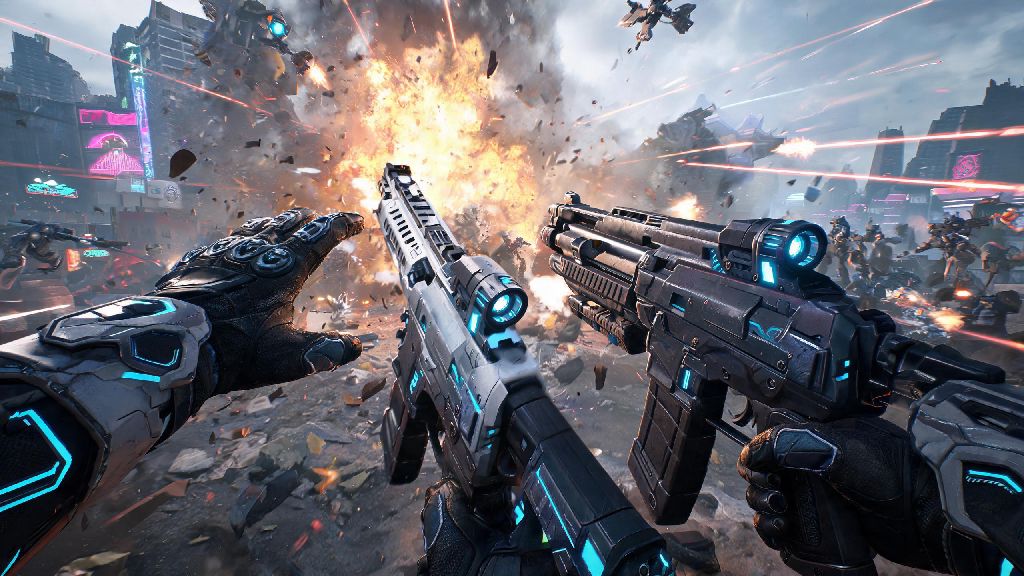
I’ve been grinding The First Descendant daily since the 2026 mid-season update dropped last month, and one of the most common questions I see pop up in match lobbies and Discord threads is how to change weapons in The First Descendant without fumbling mid-fight. I still remember my first three failed Void Intercept runs, where I kept hitting the wrong button while trying to swap to my rocket launcher to take out a boss’s weak point, and my whole squad wiped as a result. It took me a week of testing controls and loadout combinations to get swaps down to muscle memory, so I put together this guide to help new players skip the frustration I went through.
Basic Controls to Change Weapons in The First Descendant for All Platforms
The 2026 update adjusted a lot of default control schemes to make the game more accessible for new players, so if you’re coming back after a long break, old control guides you find online are probably out of date. First, let’s cover the default binds for every major platform, so you know what to press right out of the box. For PC players, the default weapon swap keys are the 1, 2, and 3 keys for your primary, secondary, and heavy weapons respectively, and you can also scroll the mouse wheel to cycle through your loadout in order.
For console players on PS5, you’ll press the triangle button once to swap between your last two used weapons, or hold triangle to pull up the weapon wheel to select any weapon in your loadout. Xbox Series X/S players use the Y button for the same functions. If you’re playing on a controller, I highly recommend testing both the quick tap and wheel options to see which works better for your playstyle. Quick taps are great for fast swaps during chaotic fights, while the wheel is more reliable if you carry three weapons and don’t want to cycle through unwanted options.
You can also remap all swap controls in the settings menu if the defaults don’t feel natural for you. I play on PC and swapped my heavy weapon bind to the side button on my mouse, which cut my swap time for rocket launches by almost half during boss fights. Don’t be afraid to adjust controls to match what feels comfortable, instead of forcing yourself to use the default setup.
How to Customize Your Loadout for Faster Swaps Mid-Combat
Pressing the right button is only half the battle when it comes to smooth weapon swaps. The 2026 update introduced new loadout weight mechanics that directly impact how fast you can swap between weapons, so building your loadout with swaps in mind will make a huge difference in your combat performance. The base swap speed between two weapons depends on the total weight of both items, so mixing heavy and light weapons is almost always better than running all heavy options.
I’ve tested dozens of loadout combinations over the past month, and these are the rules I follow to get the fastest possible swap times:
The new weight rules were first outlined in the 2026 mid-season patch notes, and a lot of casual players still haven’t noticed them, so adjusting your loadout to follow these rules will give you an immediate edge in both PvE and PvP matches. I used to run a rocket launcher, sniper, and LMG for all my Void Raid runs, and swapping between them felt clunky and slow. Once I swapped the LMG out for a SMG, my clear time for the first Void Raid boss dropped by almost two full minutes.
Fixes for Common Weapon Swap Glitches in the 2026 Game Build
Even if you’re pressing the right button and have a well-optimized loadout, you might run into the occasional bug that stops your weapon swap from registering. The 2026 build has a few known swap glitches that the devs are working to fix, but there are simple workarounds you can use to get back to fighting fast without restarting your whole game. The most common glitch right now is the sprint swap bug, where pressing the swap button while you’re sprinting doesn’t do anything, even after you stop moving.
If you run into that bug, the fastest fix is to tap the crouch button once before trying to swap again, that resets the animation state and almost always lets the swap go through. Another common glitch is the stuck animation bug, where you start swapping weapons but the animation freezes halfway through, leaving you unable to shoot or move for a few seconds. If that happens, press the fire button once to cancel the animation, then try swapping again. Bug workarounds like these can save your whole squad’s run during high-stakes endgame content, so it’s worth memorizing them.
The devs have announced that a hotfix for both of these glitches will roll out next week, so these workarounds should only be needed temporarily. If you run into a swap glitch that doesn’t have a workaround, you can submit a bug report through the in-game help menu, and the support team usually responds within 24 hours.
Pro Weapon Swap Tips to Gain an Edge in Endgame Content
Once you have the basics of swapping down, there are a few advanced tricks you can use to make your swaps even faster and more effective during endgame content. The most useful trick I’ve found is reload canceling with a swap: if you start reloading a weapon and then immediately swap to a different one, you’ll skip the entire reload animation, and the weapon will be fully loaded when you swap back to it later. This trick works for all weapons, and it can save you multiple seconds of reload time during long fights.
Another useful trick is pre-swapping before you know you’ll need a different weapon. For example, if you’re fighting a Void Raid boss that’s at 10% health and about to enter its final phase, swap to your heavy weapon right before the phase change, so you’re ready to hit its weak point as soon as it becomes vulnerable. The animation canceling swap trick is also great for heavy weapons: if you fire a rocket launcher or sniper rifle and then immediately swap to a sidearm, you’ll skip the heavy recoil animation, and you can follow up with a sidearm shot twice as fast as you could if you waited for the recoil to settle.
Note that this animation cancel trick doesn’t work in ranked PvP matches, to keep gameplay balanced for all players. It works in all PvE content though, so you can use it as much as you want during Void Raids and Intercept runs. I also recommend spending 10 minutes in the practice range every time you adjust your loadout or keybinds, to test your swaps and get used to the timing before you jump into a real match.
Once you get the hang of how to change weapons in The First Descendant, you’ll notice your clear times for endgame content drop drastically, and you won’t find yourself panicking when a swarm of enemies spawns right in front of you. The biggest tip I can give is to prioritize what feels comfortable for you over what other players say is the “best” setup: I’ve seen top players use everything from custom controller paddles to keyboard macros to make swaps faster, but the only setup that matters is the one that works for your playstyle. If you have any other swap tricks you swear by, drop them in the comments below, I’d love to test them out in my next run.